
- In 'My tasks' click the on the licensing item name link in the 'Description' column.
- Review the instructions and select from the task options and complete required fields
- Select 'Save'

Task options
Action complete - describe action taken
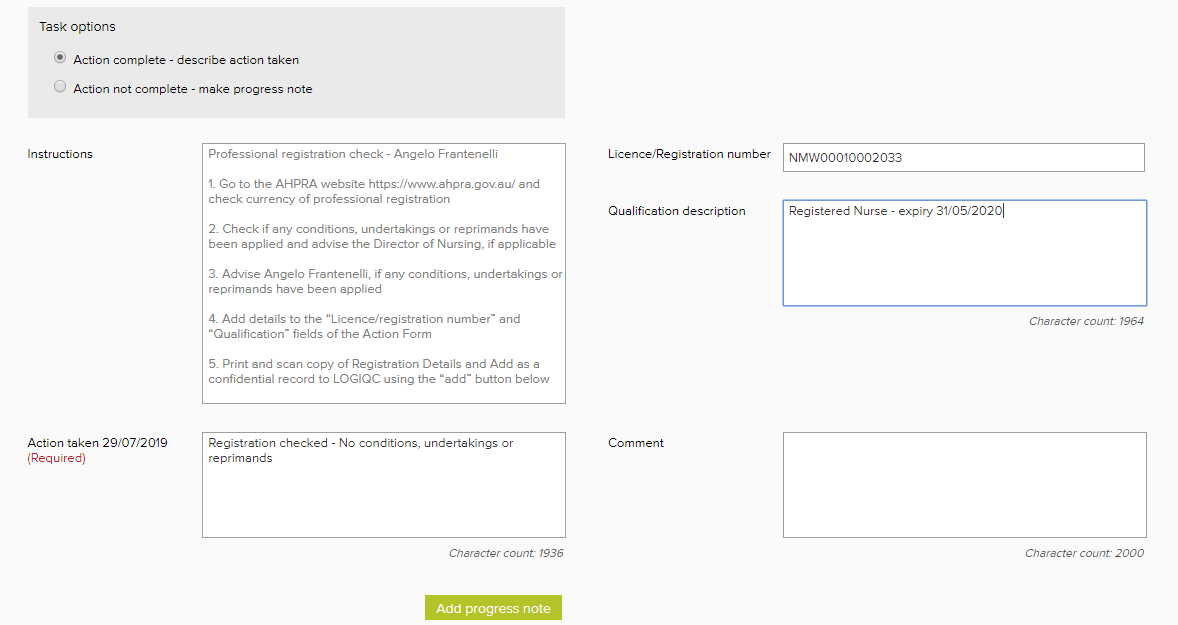
Select if you have completed the task and are ready to close the task.
After saving the task will be sent to the Approval officer for approval.
Use the Attach records component to upload your licence documentation.

Action not complete - make progress note
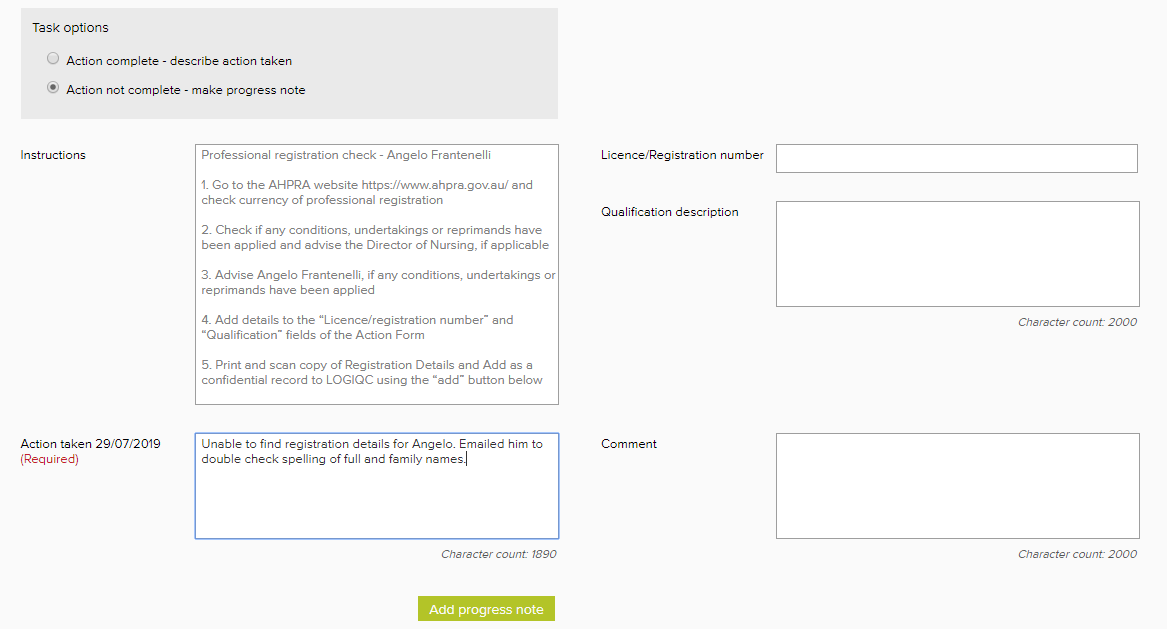
Select if you have not completed the task and you want to record a progress note.
After saving the task will remain in your task box.
Additional fields
Licence / Registration number:
Enter any specific details about the licence/credential.
Qualification description:
Enter relevant details about the licence/credential.
Comments
Article is closed for comments.