|
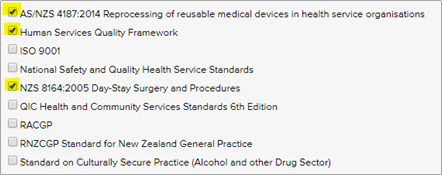
LQD 1774, 1776, 1779 New standards added to the Accreditation Module |
|
|
|
Now LOGIQC can help you track your compliance with three new standards |
|
|
|
LQD 1781 Action history added to Audit, Compliance, Training and Licensing registers |
 |
|
The Approval Officer for Audit, Compliance, Training and Licensing tasks now sees a roll-up of the action notes made. This saves heaps of time clicking around trying to check what’s been done before signing off. |
|
|
|
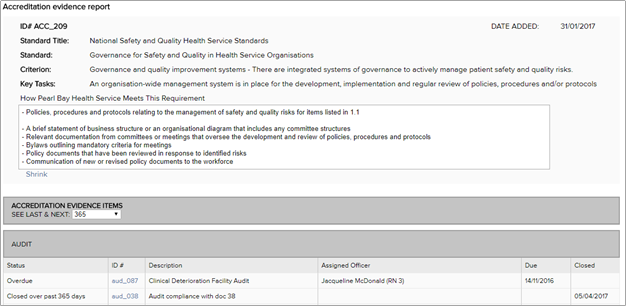
LQD 1782 Major enhancement to Accreditation Evidence Report |
 |
|
The Accreditation Evidence Report now displays detailed information about the standard and how your organisation complies with the requirements. |
|
|
|
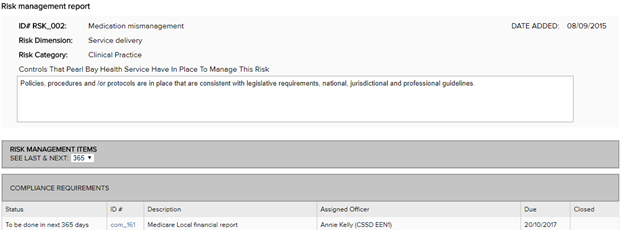
LQD 1782 Major enhancement to the Risk Management Plan report |
 |
|
The Risk Management Report now displays detailed information about the risk and the controls in place to manage the risk. |
|
|
|
LQD 1729 Improved calendar integration |
 |
|
LOGIQC’s calendar integration has now been updated to be compatible with more programs including Outlook 2016. Click on ‘My profile’ and generate a URL to use when you create an Internet calendar. This calendar will display the LOGIQC meetings you participate in. |
|
|
|
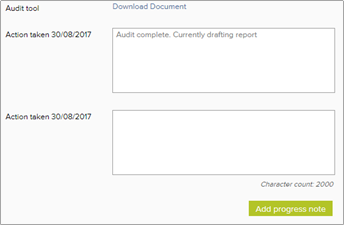
LQD 1777 Lock off action taken and progress note fields once complete |
 |
|
When you return to an open action form with past notes, the previous ‘Action taken’ fields will be locked off. This prevents new notes being accidentally added to old notes. |
|
|
|
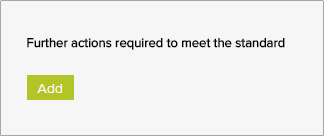
LQD 1778 Simpler ADD button in Accreditation details form |
 |
|
For system with the Accreditation Module activated, we had made it easier to add an action to your Accreditation Action Plan |
|
|
|
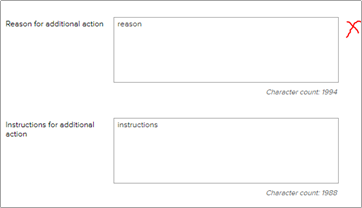
LQD 1792 No more 'reason for additional action' field |
 |
|
In some cases Approval Officers were asked for the reason behind an action request as well as having to specify the instructions. This additional field is now considered unnecessary and has been removed. (Note: if used in the past the data will still show in closed forms) |
|
|
|
LQD 1793 External Auditor/Assessor account |
 |
|
Administrators can now create one account for external auditors or assessors. This is a free read-only account and is perfect for providing your auditor/assessor with access to review your system prior to the audit. |
115004461003
Have more questions? Submit a request
Comments
Please sign in to leave a comment.